Left floundering when it comes to writing blog posts?
Want to write blog posts quickly but not sure how?
Here’s how your can write blog posts that will kick your competitors off the top spots in google.
How to Write A Blog Post for SEO
Are you at loss for how to plan your blog posts?
If you want to know how to write a blog post for your business website that drives people to it, I’m going to show you exactly what you need to do.
Firstly, you have already done some keyword research and have a keyword in mind for this blog post. If you don’t have a keyword yet then make sure you find one by doing some keyword research.
To clarify, before planning out the content of your blog post, you should have the topic and the keyword ready.
Once you have this ready you’re ready to plan out your writing!
I’m going to give you that background but I’m going to show you the best tool to know how to write a blog post for seo which will save you tonnes of time when it comes to planning your posts!
?Check out Surfer SEO here for $1! ?
Spend 20minutes planning your blog post, and you can easily write a 1000 words in an hour because of this planning.
The Trick to Showing up at The Top of SERPs
Video Transcript
This video is going to show you how you can plan out your blog posts quickly to drive organic traffic to your website. If you’ve already got a keyword for your blog posts, but you’re now wondering what to write about. Then this is the video for you. I’m going to show you exactly how you can plan out your blog post to make it as quick and easy as possible to write it. Before I discovered the Surfer SEO content editor, this would be a manual process that took me around 20 to 30 minutes to plan out my blog posts. But now with the content editor, it takes roughly between five and 15 minutes, if not less. Let’s have a look and see how we can use the Surfer SEO content editor.
Type in Surfer SEO into your search bar. And you’re going to get the option to start a seven-day trial for a dollar. This is all you need to get. It’s done only for seven days and paying that $1 is going to save you a good few hours’ worth of time. It’s totally worth it. If you select start seven-day trial it’s not a recurring subscription, it won’t automatically take the next bit of money from your account you can sign up with Google. It’s only a dollar for the seven days. You don’t need to cancel anything once you get inside. Sign up for your surfer, SEO subscription, and then I’m going to show you how to use the content editor. Okay. Once I’m logged in, I can go to the content editor and you can just copy your keyword into the search bar.
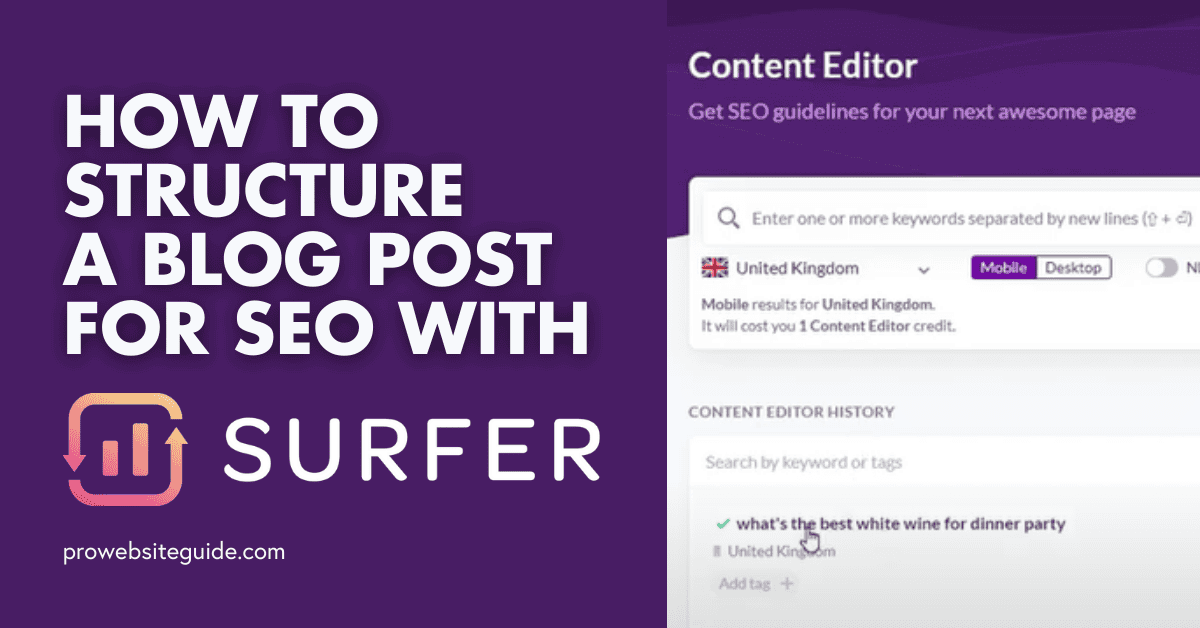
And if you were trying to do this for a service based business, what you can do is you can narrow it down by where exactly you’re located in the UK. You can narrow it down by city here as well if you’re a local service-based business, that’s totally worth doing, obviously if you’re trying to rank for particular keywords in your area I’m going to leave mine quite broad and just UK based, and I’m going to optimize the text for mobile trial and then I’m going to press create content editor. Now, what this is going to do is it is going to create a document and it’s going to look at the top 10 search results stop.
Now that documents being created, we’ve got this green tick here. I can click in to this content editor document. Now what this is going to do, and I’ll show you how this works. Now, if I select this cog icon, what it’s done is it looks at the top 10 results that are showing up for that particular keyword, depending on the location you’ve selected, it will look at the top 10 results that are showing up currently in Google for your keyword. And it will pick out the best pieces of content and give it a content score, which is shown in this column and judging by the best bits of content, it will then create a set of content guidelines for you. You can edit this as you wish. If you wanted to include other competitors, you might want to include one and two.
If there are other pieces of content in here, you want to include, you can do that, but I would leave it initially as the top the top pieces of content as they have ranked here. And what it’s going to do is it’s going to average out exactly what they’ve done on their web pages. It’s going to look at how many times they’ve mentioned a particular word. It’s going to look at how many words they’ve got on the page. How many headings, how many paragraphs and how many images, and this is going to give you me guidelines for what you should al include in your content in order to rank for your keyword. If we scroll down, you can see that it automatically fills in this people ask section for us.
Surfer SEO will just automatically pull that information in. And if we select all, it gives you all of the headings. It’s great. It’s all of those headings and topics that are in those other search pages it scrapes all of the headings from the other search engine results pieces of content, and it adds them to this all sections. It’s scraped 93 headings for us. Instead of us having to individually going back and forth into these pieces of content, I had it all to a spreadsheet. We can just use this and go through and select these different topic headings. Now we might not want to include all of these, but if there are any headings here which are peaking your interest, do you think it’s really relevant to your keyword and where you want to go with your content?
You can add these in here in our keyword, for example, we’re only talking about white wine. If there’s things that mentioned red wine, we might not want to include them, but what we can do is if, as an example, it says sparkling wines. Aren’t just aperitifs if we wanted to change that to white wines, aren’t just four X per pern. We could do that. You can edit these headings slightly. These are just to give you a flavor for what is already showing up on what you might want to use in your block paste. You can go through this and select any relevant topics that you want to, that are relevant for your posts here’s a really great example. I’ve gotten all the way through to page five and I might want to include in my blog post content is the best white wine, depending on what type of dinner party somebody is having.
These are all great queries I can ask in answer in my blog post, to make sure that it’s better than everybody else’s. I’m going to tick all of those tick, these five types of wine to bring to a party. When you have no idea what’s for dinner, I could go through and list the different types of wine to serve according to the food.
There’s a lot of headings in here, which might not be particularly useful, but obviously clicking through is easier than manually going through on the other web pages. I think we’ve got a good, a good steer there. And then basically when you’re happy with that if you press let’s go. With this blog posts now from using the customized section, I’ve got a list of popular headings, which other people have using their content, which I might want to include something similar in this piece of content to make sure it’s better than theirs. We’re not copying what other people are putting in their content at all. We’re just using this as a bit of a guide and a bit of a stair for what to include in our own bits of content. Now i’ve got this list here. I don’t have to, you know, import it all from separate spreadsheet or anything.
It’s just in one nice, neat document. And if I was going to use a content writer, instead of writing this myself they can view these topics. And if I wanted to add notes for them, I could have gone and added me notes for them in the customizer as well. And then you can send out a full brief to your writer, really, really easy just from using this one document. What we’re trying to do now, and the benefit of using surfer, this content editor is it’s taken an average of all of the words that are used on those other relevant blog posts. What’s currently showing up in search. And it gives you an average for how many times that phrase has been used on those other pages. Sparkling wines is currently being used two to seven times. We’re not going to be writing about sparkling wines, but if we look at the term white wine that’s currently been used two to six times.
We want to make sure that we’re including it, this a similar amount of times. If we go one, one over or one below, it’s not going to have the biggest impact, but what we want to try and do is push this content, score up into the green zone we need to get the word count up. We need to write at least 1,238 words for this blog post, no more than 1,424 words we want to have between eight and 21 headings at least four paragraphs and between eight and 40 in images. And what I would tend to do is go through these topics and I would add them all to this page as headings to get me started. As an example, one of my headings might be the best wines to bring to a dinner party, but I’m going to change that to the best white wines to bring to a dinner party or the best white wine to take to a dinner party.
That can be one of my headings and then these different types of dinners that could be served and want to add me of these headings as well. What I’m going to do is I’m just going to brainstorm me of these heading ideas. Yes. But I’m going to bring it back to white wine because the blog posts are specifically about the best white wine. Okay. Now I’ve got my list of headings. I know I’ve got to write at least 1200 words for this blog post, but now I’ve got this heading. I feel pretty confident for the main headings that I’m going to be able to write at least 200 words. I would say at least a hundred words for each of these plus, I’m going to have to write a hundred-word introduction for the blog post and a conclusion at the end as well. I would say that would get us up to about 1200 words pretty much exactly.
Before I discovered Surfer SEO’s content editor. This would be a manual process that took me around 20 to 30 minutes in order to plan out my blog posts. But now with the content editor, it takes roughly between five and 15 minutes.
It’s worth noting that if you don’t want to go through this process yourself, prowebsiteguide.com provide Surfer SEO optimised content. You can check out the Surfer SEO directory of writers or reach out to Stephen at Surfer Writer.